Flex Planner
Keep things flexible with a ordered list of assignments. Nothing is tied to a specific date, so students can work through their lessons at their own pace without having to manage a schedule.
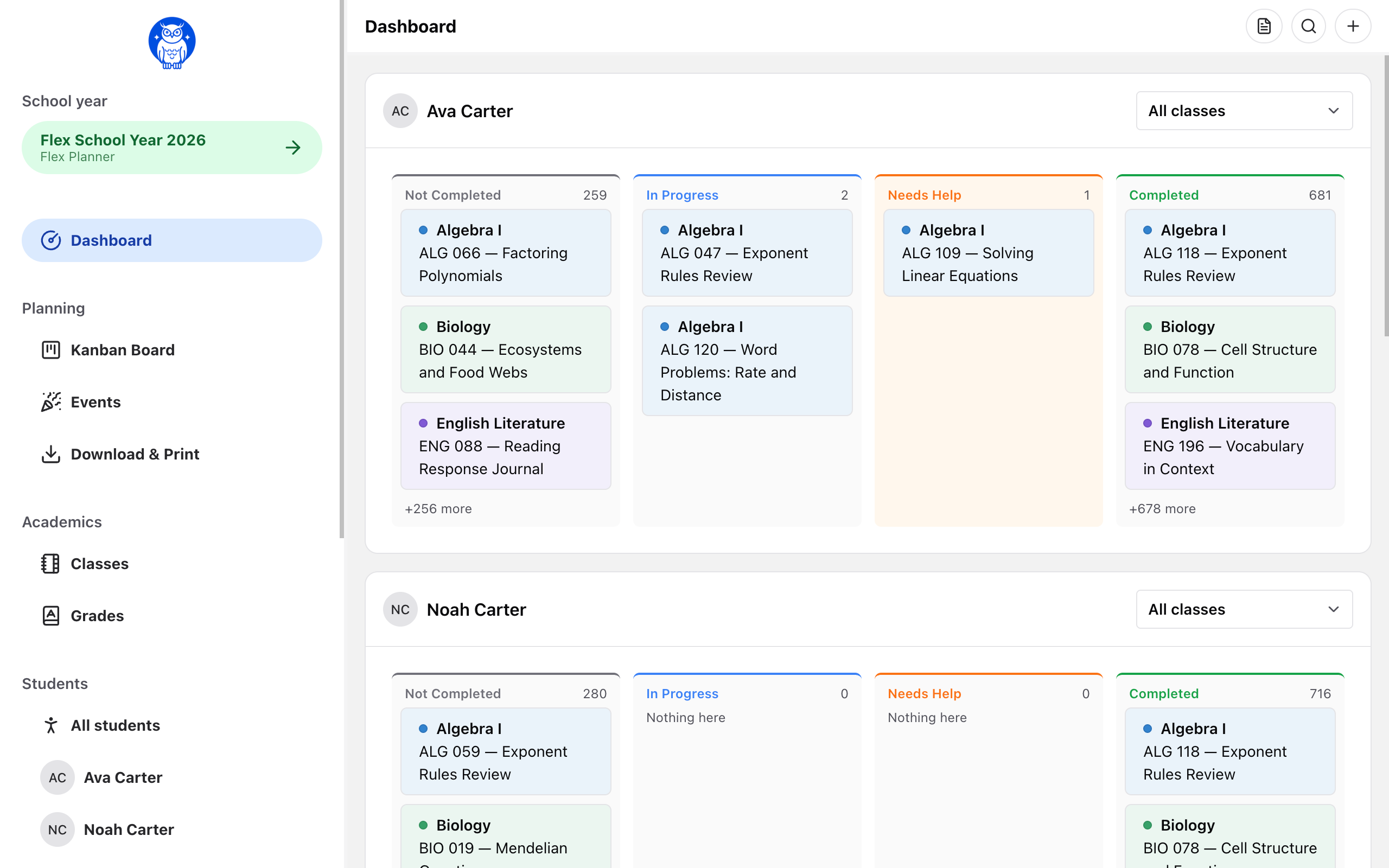
Flexible doesn't mean unstructured.
The sequence provides structure while leaving room for flexibility.
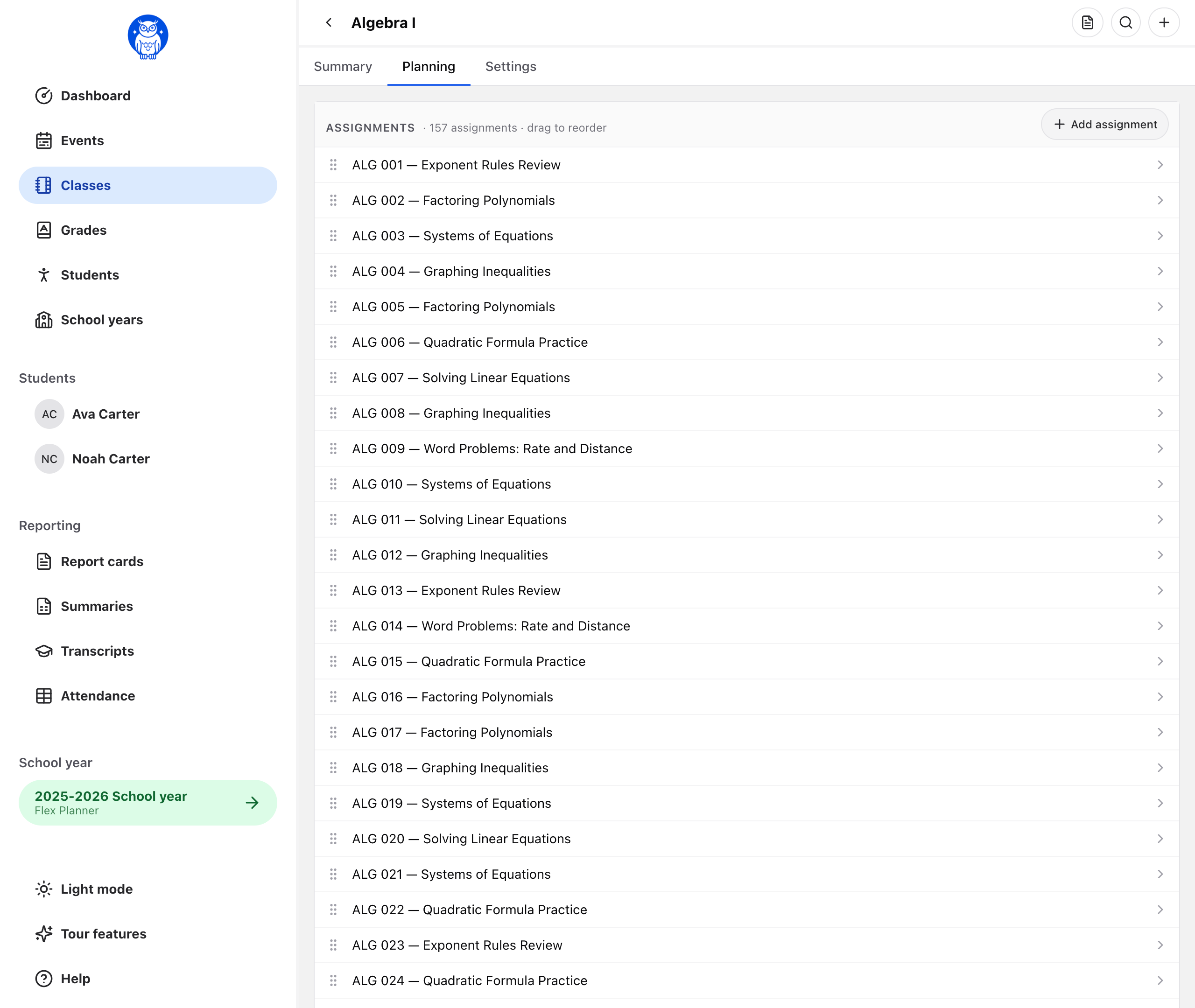
One ordered list per class
Lessons stay in the order your curriculum intends. Students work through the list and check off each item as they finish—no due dates, no rescheduling when life gets in the way.
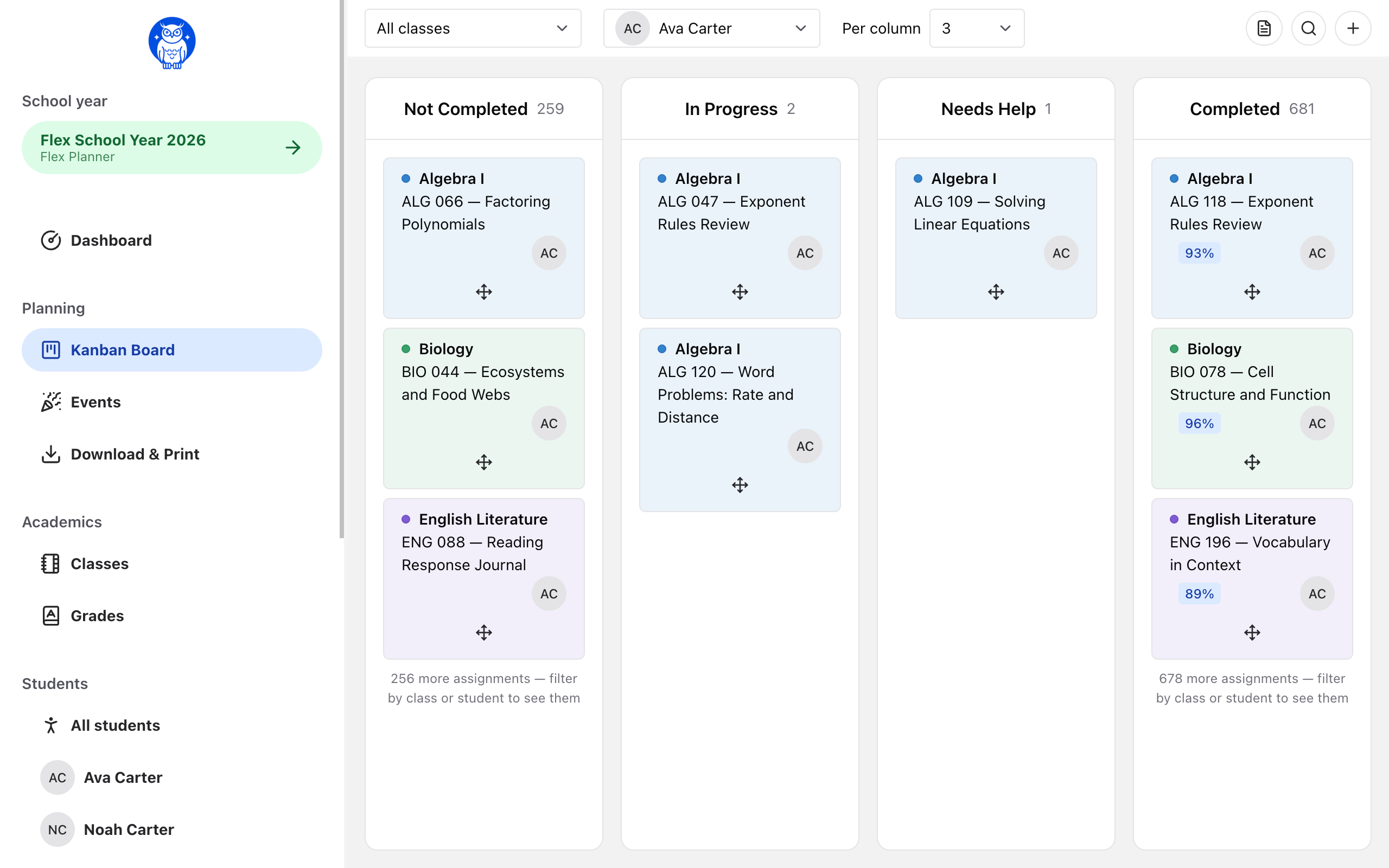
Track the work on a Kanban board
Drag assignments across Not Completed, In Progress, Needs Help and Completed, on your screen and on your student's. On a Flex Planner year the board scopes by class rather than by day or week — pick one class or watch them all at once, and filter down to a single student. Each column reads in the order you put the class list in, so the top of the first one is what to pick up next.
“Up Next” shows you where everyone is
See the next assignment waiting for each student at a glance. Students can move through the same class at their own pace—even when they're working on different lessons.
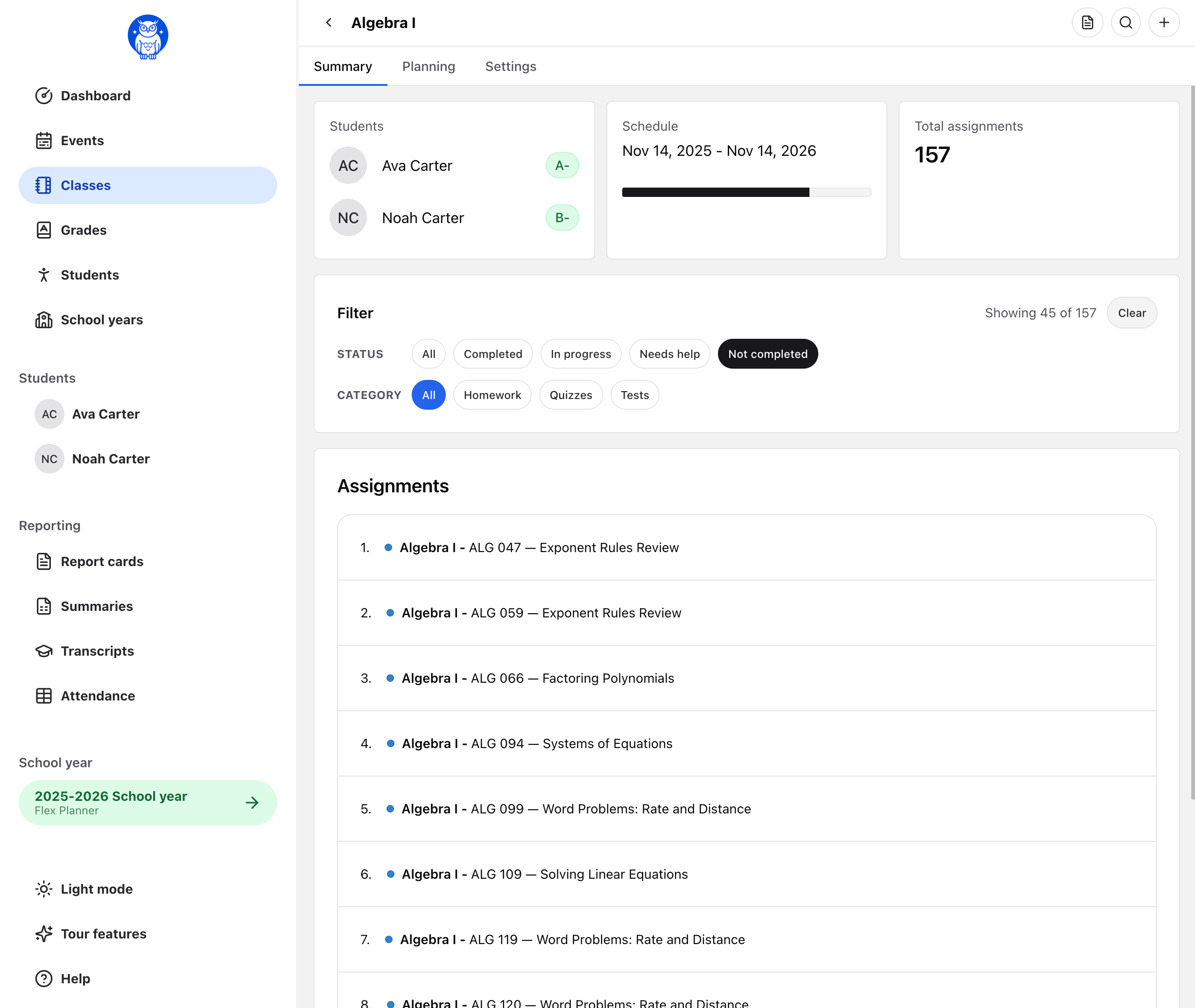
Choose Flex Planner if…
- You work through a curriculum in order.
- Your kids move at different paces.
- You homeschool year-round or without a fixed schedule.
- A calendar made you feel like you were always falling behind.
Prefer a structured schedule? Calendar Planner puts assignments on specific dates and tracks attendance for you.
What Flex Planner doesn't include
Flex Planner is intentionally built around a simple, assignment-based workflow. There are no calendar dates, calendar views, or calendar subscriptions. Attendance is recorded manually—completing an assignment does not automatically mark a day present.
If you need date-based scheduling or automatic attendance tracking, Calendar Planner is the better fit.
What you keep
- Classes, assignments, and everything you already track
- Grade book with the scales you choose
- Report cards and school year summaries as PDFs
- High school transcripts
- The student app — students work down their own list
- The Kanban board — scoped by class instead of by date
- Attendance records you fill in yourself
Flex Planner vs Calendar Planner
Same account, same price, same students. The difference is whether work sits on a date.
| Feature | Flex Planner | Calendar Planner |
|---|---|---|
| Ordered class lists | YesHow every class works | NoWork sits on dates instead |
| “Up Next” dashboard | YesWhat each student does next | NoThe calendar answers this |
| Calendar view | No | YesDay, week, month, and year |
| Kanban board | YesScoped by class | YesScoped by day or week |
| Drag to change order | YesYes | Yes |
| Google / Apple / iCal sync | No | Yes |
| Attendance | PartlyYou record days yourself | YesCounted automatically, with overrides |
| Grade book | Yes | Yes |
| Report cards & year summaries | Yes | Yes |
| High school transcripts | Yes | Yes |
| Student app | YesStudents work down their list | YesStudents see their schedule |
| Switch planner style at any time | YesYes | YesYes |
You are not locked in
Switch between Flex Planner and Calendar Planner anytime.
Start a school year one way and change it the other way in November. Or back again in February. There is no window you have to decide in, and nothing is lost when you do.
- Mid-year is fine
- Week one or week thirty. Switch a school year whenever it stops fitting the way you actually teach.
- Nothing is deleted
- Assignments, grades, progress, and records all come with you. Your work carries over either way.
- See it before you confirm
- We show you exactly what will change, and anything that needs a decision from you, before anything moves.
- Undo it right after
- Changed your mind again? Put the school year back exactly the way it was, down to every assignment date.
Each school year is set on its own, so switching one leaves your other school years exactly as they are.
Compare Flex Planner and Calendar PlannerStart using Homeschoolerly today.
Sign up is quick and easy. In just a few minutes, you will be on your way to building a better school year.